 Screenpresso


Screenpresso 2.2.0
 Benoist Jamin02/20/2026
Important information
This release requires Windows 10.0.20348 (May 24, 2021) or later.
If you use an older Windows version, stay on your current Screenpresso version.
Enhanced screenshot engine
Screen captures now use the graphics card (GPU) instead of the CPU. This improves performance and reduces memory usage. After extensive testing, we believe Screenpresso now offers one of the best capture engines available.
If you click a window (instead of drawing a rectangle), Screenpresso captures it exactly as shown. If the window has a custom shape (for example, round), Screenpresso saves a rectangle with transparent corners. This keeps the result clean when you paste it into an email or document.
A round window example as it appears on the desktop:
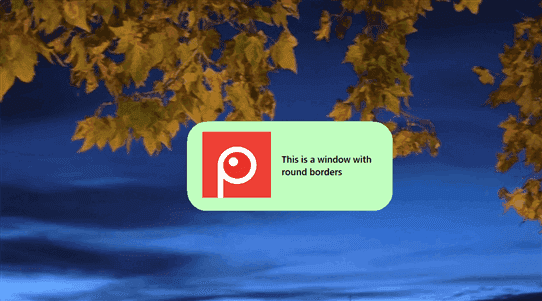
Window's capture before:
 Window's capture now:

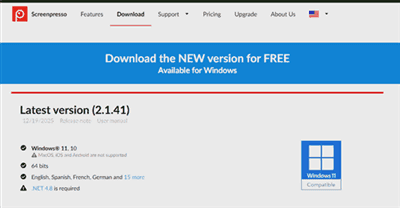
When HDR was enabled, screenshots could look too bright. This is now fixed. This improvement works for both screenshots and video recording.
HDR before:
 HDR now:
The magnifier shown during capture is now larger and easier to use. You can also use the arrow keys to move the mouse more slowly for precise selection.
You can now hide all desktop icons automatically during capture for cleaner results.
You can also still change the desktop wallpaper during capture from the settings.
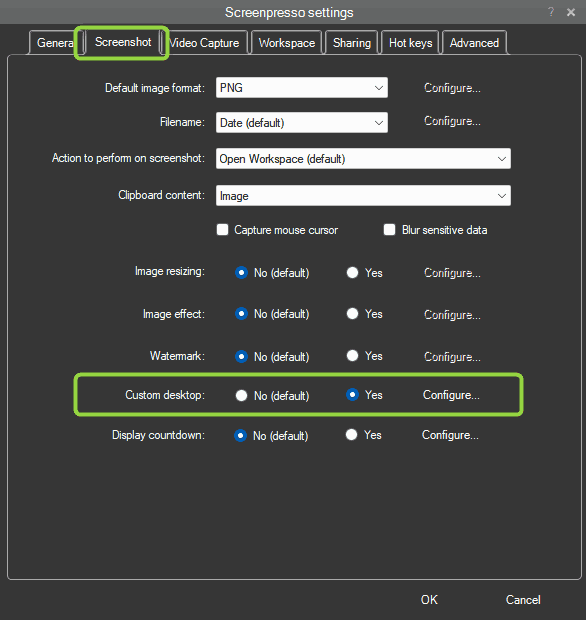
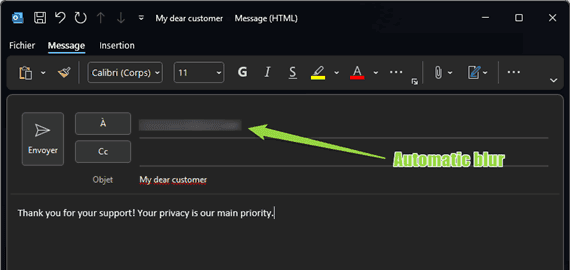
In settings, you can enable automatic detection and blur for sensitive content. This includes emails, credit cards, IP addresses, and API keys. This feature is available for PRO users in both screenshots and real-time video recording. Later, in the built-in image editor, you can choose which blurred sections to remove.
We removed the third-party Tesseract OCR integration because some of its components were often reported as insecure. Screenpresso now uses only the built-in Windows OCR.
Enhanced video capture engine
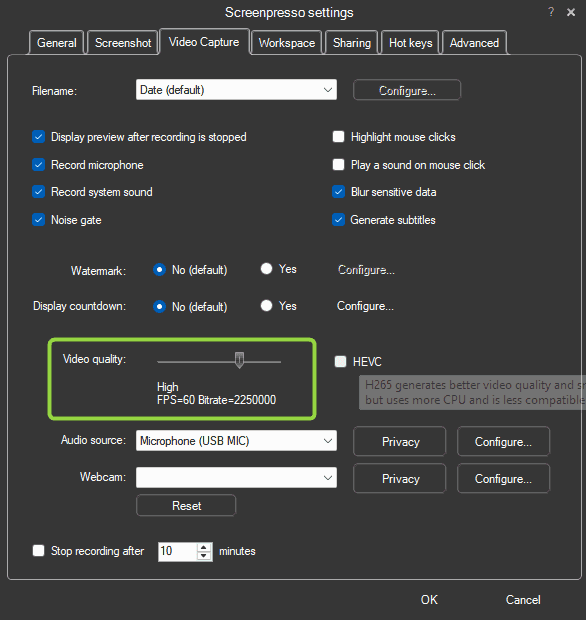
Video capture now uses the graphics card (GPU) instead of the CPU. This improves performance and reduces memory usage. Screenpresso now supports 4K video at 60 FPS in high quality (PRO). In settings, you can choose low quality for smaller files or high quality for better visuals.
Screenpresso supports GPU-based recording across multiple screens at the same time.
You can now record video with the HEVC codec. HEVC can create smaller MP4 files with better quality, but it may be less compatible on some computers. It is disabled by default and can be enabled in settings.
You can now generate subtitles automatically from your voice while recording.
After enabling this in Screenpresso settings and Windows privacy settings, Screenpresso listens only during recording to create text.
Subtitles are saved as a .srt file next to your .mp4 file.
You can edit the .srt file later with a text editor such as Notepad.
You can share the MP4 and SRT as separate files, or merge subtitles into the MP4 with the built-in video editor.
After merge, subtitles can no longer be edited.
Microphone recording quality is now 48000Hz mono, and audio loopback (speaker output) is now stereo.
We also added a basic noise gate to reduce microphone background noise.
We also increased the number of supported microphone types.
The webcam view is now mirrored. If you move your head to the right, it moves right in the preview/video.
We replaced the old ellipse shape with a vertical rounded shape. The webcam rendering also now uses a new GPU-based engine.
We removed AVI recording support and updated FFmpeg to version 8.0.
Artificial Intelligence (pro)
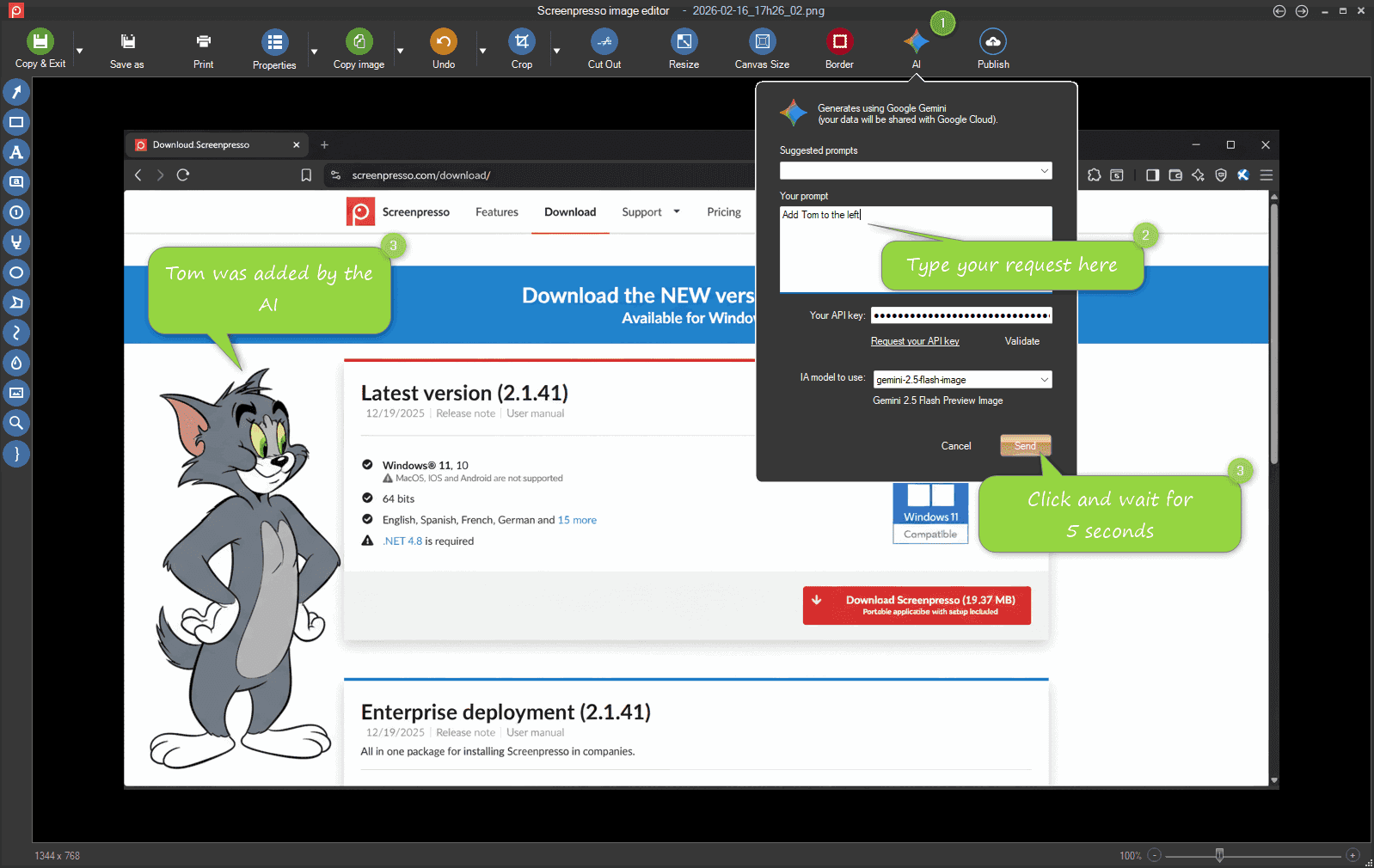
Screenpresso now includes Google Gemini AI.
In the built-in image editor, you can ask AI to modify your screenshot.
Sharing changes
Previously, authorization tokens expired quickly. Now tokens stay valid until you revoke access from your cloud provider account settings.
On some company computers, Screenpresso could not access the internet because of proxy settings. This issue is now fixed.
Removed built-in support for Evernote and Twitter
Updated AWS SDK, Google SDK, and SSH libraries to the latest versions
Workspace changes
Example: if you selected image 2, held Shift, then clicked image 6, all images were selected.
Now Screenpresso correctly selects only images 2 to 6.
When you drag an image from the workspace to another app (for example Windows File Explorer or Google Chrome), a real thumbnail is shown instead of a generic icon. This improves visual feedback.
When a laptop went to sleep, Screenpresso could enter an unstable state after wake-up.
If save dialogs were open and the user clicked Cancel, the app could crash later.
This scenario is now detected. Screenpresso saves changes and restarts itself safely when needed.
Privacy
We continue to improve security and privacy in Screenpresso. Screenpresso is now compliant with Windows privacy best practices. The app now uses newer Windows APIs that require feature-by-feature permissions. Windows may ask you to allow screen capture, file access, microphone access, webcam access, and more.
For IT admins, Screenpresso already supports policies.
You can disable unwanted features through the Windows Registry.
See the user manual for details (press F1 in Screenpresso).
More improvements are coming soon.
